AI and automation people actually use

We connect to the systems you already have and guide your team through the change.

Initial consultation 30 minutes · free and non-binding

How we work together

From the first conversation to everyday operation.

  1. 01

    First, we learn how your company works.

    We go through processes, data and systems with your people. We find where you lose time and decide what makes sense to automate first.

    The result is a clear list of priorities to start with.

    How the assessment works
  2. 02

    Then we build the solution fast. At a fixed price.

    From the first automation to a custom app. We connect your systems and test the solution with your team. You know scope and price upfront.

    The result is a solution your team actually uses.

    How we set scope and price
  3. 03

    And we make sure people actually use it.

    It doesn’t end at deployment. We monitor operations, train the team and keep developing the solution based on what your company needs.

    The result is a solution that runs reliably and grows with you.

    What operation looks like
  4. ●

    The result: your people have more time for work that matters.

    All three steps share one goal: less routine and more time for work that creates value. For your company and your people.

    That is why change management is always part of the technology for us.

    Discuss the first step
From our practice

This is how we already save time
for companies like yours.

Nine solutions for everyday work. Explore the brief, the benefits and how they work technically.

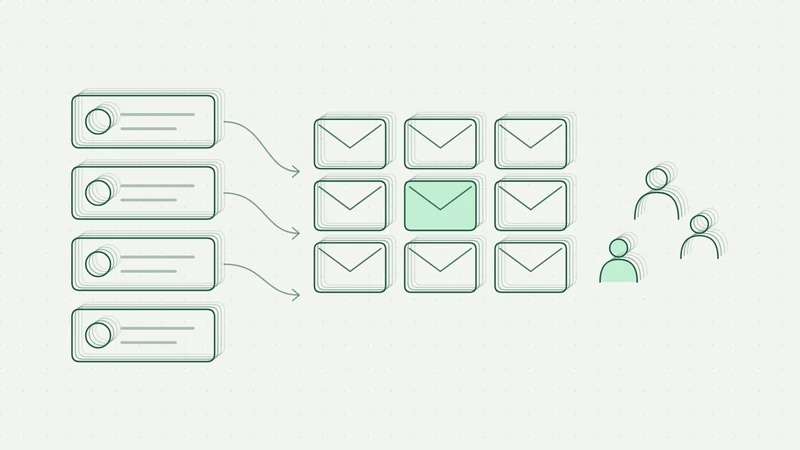
Solution illustration: Contacts and campaigns in one place3 tools 1contacts, campaigns and content in one place

01 / 09 · Communication automation

Contacts and campaigns in one place

One overview for contacts, email sequences and content publishing. The team approves drafts and follows the entire communication flow.

In daily operation
Starting point and benefit

Contacts were scattered across spreadsheets and the CRM. Preparing campaigns and publishing content required manual work in several tools.

One application connects the contact journey from first interest to follow-up communication.

Discuss a similar solution
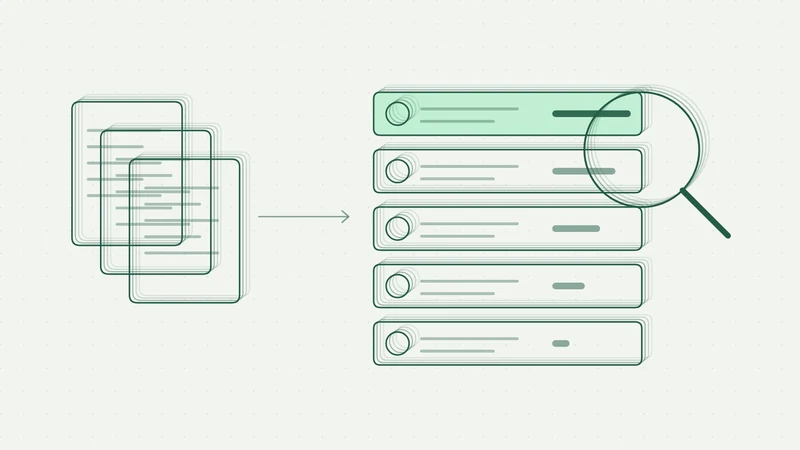
Solution illustration: Better input for sales and the team−90 min a daytime saved in sales and internal tasks

02 / 09 · Working with information

Better input for sales and the team

AI adds context to contacts, suggests priorities and prepares briefings. Internal information is available in a shared application.

Pilot completed
Starting point and benefit

Information about contacts sat in several sources. The team researched and processed other internal tasks manually.

After a six-week pilot, the client commissioned a wider rollout.

Discuss a similar solution
Solution illustration: Consistent quote calculationHours minutesfor a standard quote calculation

03 / 09 · Processing inquiries

Consistent quote calculation

A web application unifies price lists, rules and margins. One input produces quote variants in Excel or PDF.

Development and validation
Starting point and benefit

Every team member prepared quotes a little differently. Spreadsheet calculations used different templates, and larger requests required long manual recalculation.

The goal is to cut a standard calculation to minutes and handle larger requests in hours instead of days.

Discuss a similar solution
Solution illustration: Data deviations under controlLess manual checkinga model flags suspicious values

04 / 09 · Data evaluation

Data deviations under control

The model compares measured data and helps distinguish a measurement error from a real deviation. The team gets an overview of what to check.

Pilot and validation
Starting point and benefit

An unusual value could mean a measurement error or a real problem. Telling them apart required manual checks and data comparison.

The pilot aims to reduce manual checking. Deployment follows only after the results are validated.

Discuss a similar solution

Solution illustration: Assistant for internal documentationDays minutesto the first document draft

05 / 09 · Working with knowledge

Assistant for internal documentation

Internal procedures and templates become a structured document draft. An expert refines it in chat and exports it to Word.

Prototype and app development
Starting point and benefit

The team assembled plans by hand from older documents, internal procedures and templates. Preparation took days and the structure depended on the author.

The application helps prepare a consistent draft. Expert review is handled by an authorised user.

Discuss a similar solution
Solution illustration: Stock based on real demand+5–6 % revenuethanks to better stock availability

06 / 09 · Inventory planning

Stock based on real demand

The forecast uses historical data, seasonality and available capacity. The team gets a recommended quantity for every item and location.

Feasibility study completed
Starting point and benefit

Some ordered items were not available in time, others tied up money unnecessarily. Manual estimates could not reflect all differences between items and locations.

In the project, the documentation reports a 5–6 % increase in revenue.

Discuss a similar solution
Solution illustration: Simulating capacities and processesRisk-free changestested in simulation before going live

07 / 09 · Comparing scenarios

Simulating capacities and processes

Test workstation layout, capacities and utilisation before you change real operations. Compare variants right in the browser.

In development
Starting point and benefit

Changes in layout and capacity were only verified during normal operation. The team needed to assess variants and their impact in advance.

The expected benefit is better planning and more stable operations. Results are being validated on specific models.

Discuss a similar solution
Solution illustration: Content for multiple websites and languages1 brief many languageslanguage drafts within minutes

08 / 09 · Content creation and management

Content for multiple websites and languages

One brief produces draft texts and translations. The team reviews them and publishes in the existing website environment.

Working prototype
Starting point and benefit

Every additional language version meant copying pages by hand. The team handled translations and content setup separately.

The goal is to prepare language drafts in minutes while keeping the website's current look and management.

Discuss a similar solution
Solution illustration: An operations system without the cloudSpreadsheets 1 systemthe whole operation in one app, no cloud

09 / 09 · Internal apps

An operations system without the cloud

Orders, customers and service in one app instead of dozens of spreadsheets. Data stays in the company network and the system works without internet.

Design and prototype
Starting point and benefit

The company ran orders, customers and service records in dozens of spreadsheets. Only whoever last edited a file had an up-to-date view, and off-the-shelf CRMs did not fit how the team works.

The goal is to run the whole operation in one app so the spreadsheets can be archived.

Discuss a similar solution

All nine projects are anonymised. Each has three slides.

01–05 Five principles we keep in every project

01

Process first, technology second.

First we walk through how the work really happens with your people. We use AI only where it saves time. Often plain automation is enough.

ProcessDataAutomationAI where it makes sense

02

AI suggests. People decide.

Where proposals need expert approval, your people have the final say: sales, purchasing, specialists. AI prepares the groundwork, responsibility stays with you.

AIDrafts a quote
HumanReviews and sendsSent

03

We build on what you already have.

We're not tied to any vendor. We connect to the systems you already use and choose the tool for the task.

Microsoft 365CRMERPAccountingHubSpotGoogle Workspace
n8nMakePower AutomateClaudeChatGPTAzureSupabase

04

You know the price upfront. No timesheets.

We place every workflow in one of four tiers based on complexity. You know the price before we start, and why it is what it is.

1 · Simple
2 · Standard
3 · Complex
4 · Custom

05

People drive change, not tools.

We involve the team from the start, train them and fine-tune the solution in practice. A tool nobody uses is pointless.

InvolveTrainFine-tune

At a glance

1–5 daysThat is how long an assessment takes. Then you know where to start.
10 workflowsThat is how many we typically automate in an eight-week pilot.
4 tiersComplexity sets the scope and the fixed price upfront.
Your teamWe involve them from the first conversation to operation.
Comparison

A typical AI project vs. how we do it.

Most AI projects don’t fail on technology. They fail because nobody uses the solution. That’s why we work differently.

A typical AI project vs. how we do it.
Typical approachInnovative AI Garage
Starting pointA tool is chosen first, then a use is sought for it.We start with your processes and data. The tool comes second.
PriceHourly rates. You only see the total on the invoice.A fixed price for every workflow, agreed upfront.
SpeedMonths of analysis before the first result.The first workflow runs within days, a 10-workflow pilot in 8 weeks.
TechnologyLocked into one vendor and its licences.Vendor-independent. We connect to the systems you already have.
PeopleThe tool is handed over and the team is left to cope.Change management is included: we involve, train and fine-tune.
MeasurementSuccess = “AI has been rolled out”.Every workflow has a target. We verify the time saved in practice.
ResultLicences nobody uses six months later.A solution your team actually uses.
Step 1 · Discover · Assessment

Start with what makes
the most sense.

During the initial mapping we go through processes, data and systems with your people. You get a prioritised list of opportunities and a recommendation on where to start. We tailor the scope to your company.

S

Assessment Compact

For companies up to 30 employees and 1–2 departments.

Takes one day on site or online.

990 EUR excl. VAT

  • We talk to 1–2 departments, each conversation takes 2.5–3 hours.
  • We briefly go through your systems with IT.
  • You get a scored list of 5–8 workflows.
  • We recommend three quick wins to start with.
Discuss variant S
M

Assessment Standard

For companies with 30–150 employees and 3–4 departments.

Takes 2–3 days on site.

2,490 EUR excl. VAT

  • We talk to 3–4 departments.
  • We review systems with IT and with whoever handles data protection.
  • We score 15–25 automation candidates.
  • We propose 10 pilot workflows and an integration map.
  • We present the results to management.
Discuss variant M
L

Assessment Plus

For companies from 150 employees and 5–8 departments.

Takes 4–5 days and can cover several sites.

4,490 EUR excl. VAT

  • We talk to 5–8 departments.
  • We involve IT and data protection throughout.
  • We run a half-day priority workshop with management.
  • We prepare a roadmap for two pilot waves.
  • For every workflow we define success criteria and a business case.
Discuss variant L

We confirm the assessment price upfront. It is fully credited when you order a pilot.

Step 2 · Build · Solution

You know scope and price
before we start.

From a single integration to a custom app. We place solutions in four tiers by complexity. The proposal shows the exact scope, deliverables and a fixed price before any work begins.

Tier 1

Simple

990 EUR excl. VAT

  • Works with one system or storage.
  • Needs no AI, or AI only summarises and sorts.
  • Needs no new app; email, Teams or a spreadsheet is enough.
  • Standard permissions are enough and no personal data is involved.

E.g. Inbox summary, Excel report, invoice extraction from PDF

Tier 2

Standard

2,490 EUR excl. VAT

  • Connects 2–3 systems via API, e.g. Outlook and CRM.
  • Has 1–2 AI steps that a user reviews.
  • Includes a form or an approval step, and everything is logged.
  • Uses Microsoft sign-in and handles personal data under GDPR.

E.g. Quote from a CRM template, lead research and scoring, weekly report

Tier 3

Complex

6,490 EUR excl. VAT

  • Connects 4 or more systems or a custom database.
  • Uses a knowledge base (RAG), an agent or an ML model.
  • Has its own web app or dashboard.
  • Has SSO, roles and an audit log, and runs in the EU.

E.g. Knowledge assistant, order forecasting, quote calculation

Tier 4

Custom

from 12,900 EUR excl. VAT

  • It is an app for several companies or a product.
  • Works with custom models, simulation or training data.
  • Has specific requirements for on-premise operation and security.
  • We fix the price after a one-day solution design.

E.g. Production simulation, quality management platform

Pilot package

10 workflows in 8 weeks

from 7,900 EUR excl. VAT

Typical mix: 3 simple, 5 standard and 2 complex workflows.
Package discount, the assessment price is fully credited.

Discuss the pilot
How exactly we classify: five criteria

We fill in the table together during the assessment, and it is part of the proposal. If a workflow meets two criteria of a higher tier, we move it up.

Criterion1 · Simple2 · Standard3 · Complex4 · Custom
Systems1 system / storage2–3 systems via API4+ systems, custom DBMultiple companies, legacy systems
Share of AISummary, sorting1–2 AI steps with reviewRAG, agent, ML modelCustom models, simulation
InterfaceEmail, Teams, spreadsheetForm, approvalWeb app, dashboardProduct UI, mobile
SecurityStandard permissionsSSO, roles, GDPRAudit log, EU hostingOn-premise, custom security requirements
DataStructured, cleanPartly unstructuredDocuments, archivesMeasured data, time series
Step 3 · Run · Operation and training

After launch,
we stay by your side.

Deployment is just the beginning. We look after operations, train your people and help you develop the solution further. We agree on the level of support you need.

Operation Basic

Billed monthly.

  • We host, monitor and back up the solution.
  • Every month we check all workflows.
  • You get one day of development or support.
  • We respond within two business days.

Operation Pro

Billed monthly.

  • Includes everything in Basic.
  • You get three days of development every month.
  • Once a quarter we review everything with management.
  • We respond the next business day and share a Teams channel.

Training

Takes half a day or a full day.

  • We run an AI workshop for teams of up to 12.
  • We train key users for every workflow.
  • On request we offer the AI Garage Basic and AI Garage Lab courses.

We build on the tools you already use

Microsoft 365Google Workspacen8nMakePower AutomateCRM and ERPOpenAIClaudeAzurePostgreSQL
Before the first meeting

You may be asking
the same.

You don't need to know the technology or have a finished brief. It's enough to know what eats up your time today.

We don't know where to start. But we know we have to.

That's the most common starting point. That's why we begin with an assessment: in a few days we go through processes and data with your people, and you get a scored list of what makes sense to do first.

How much will it cost?

You know the price upfront. We place each solution in one of four fixed-price tiers by complexity, and the proposal shows why it sits in that tier. The assessment price is fully credited when you order a pilot.

Is it secure?

We agree upfront where data is stored, who can access it and what AI may process. Based on your requirements we design EU hosting, access roles and rules for sensitive data. We verify the specific setup with your IT.

What size of company do you work with?

From ten people to large organisations: clinics, manufacturing, retail and services. We scale the assessment and the pilot to the size of your company.

Will it take people's jobs?

Our goal is to remove routine: retyping, copying and manual reports. We involve the team in design and testing so the solution helps in everyday work.

Will it be hard to implement?

We connect to what you already use: Microsoft 365, CRM, accounting, ERP. A pilot with ten workflows takes eight weeks, and the first one usually runs after just a few days.

People are behind every solution
Jakub Šťáhlavský

Technology is the easier part. People drive change.

For years I worked as an interim manager and project manager. I saw that a new tool changes nothing on its own. If people aren't told what it's for and it doesn't fit into their work, nobody uses it six months later.

That's why change management is always part of AI for us: involving people from the start, training them and fine-tuning the solution in practice. Added value isn't measured in hours, but in the time we give back to your team.

Jakub Šťáhlavský Founder of Innovative AI Garage · interim manager and PM

Project from our practice

Project detail

Starting point

What needed solving

How the project went

    Who was involved

    Team involvement