
Solution · Knowledge work
An AI assistant that knows your documents.
An AI assistant for company documents finds answers in your policies, procedures and templates and uses them to draft a document or a reply. The user refines the result in a chat and exports it to Word. An expert always has the final say. The solution can run in Azure in the EU or directly within your own infrastructure.
Typical complexity level Level 3 · Complex · from 6,490 EUR excl. VAT

When it makes sense
- Your team repeatedly puts documents together from older versions, procedures and templates
- People spend a long time searching for information in internal documents
- New colleagues ask about things that are already written down somewhere
- The final form of a document depends on who writes it
How it works
- 01
You upload your documents and templates.
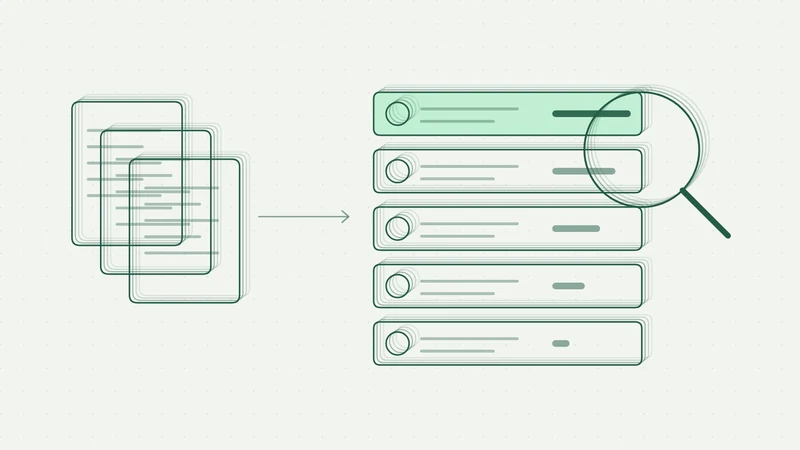
You upload documents, templates and examples. The assistant splits them into sections and indexes them.
- 02
A user asks a question or makes a request.
The user asks a question or fills in a short form with the document type.
- 03
AI drafts an answer with source references.
The AI finds the relevant passages (RAG) and prepares an answer or a structured draft with references to the sources.
- 04
An expert refines and exports it.
The user refines the draft in the chat and exports it to Word using the company template.
Security
Data stays in the EU or within your network. Sign-in via Microsoft, access roles by department and a log of all queries. The model is not trained on your data.
In practice · Working with knowledge
Assistant for internal documentation
Internal procedures and templates become a structured document draft. An expert refines it in chat and exports it to Word.
Prototype and app development
Starting point
The team assembled plans by hand from older documents, internal procedures and templates. Preparation took days and the structure depended on the author.
Goal: Prepare a faster, consistent draft linked to internal sources while keeping expert approval.
Solution
The assistant finds relevant context in the internal knowledge base and prepares a structured plan. The user refines it in chat and exports it to Word using the company template.
Results
- A first draft can be ready in minutes instead of days of manual assembly.
- Three plan variants use a shared knowledge base.
- Final review and approval stay with the expert.
The application helps prepare a consistent draft. Expert review is handled by an authorised user.
Technology
- Web application and API service
- PostgreSQL and Qdrant
- GPT / Azure OpenAI
- DOCX export from a Word template
Security and data
- Choice between internal hosting and Azure in the EU
- Microsoft sign-in and access roles
- Document approval by an authorised expert
Operations
- Managing sources by uploading files
- App maintenance and model updates
- Handover of code and documentation
This case study is anonymised. We do not name the company or its industry.
In practice · Working with information
Better input for sales and the team
AI adds context to contacts, suggests priorities and prepares briefings. Internal information is available in a shared application.
Pilot completed
Starting point
Information about contacts sat in several sources. The team researched and processed other internal tasks manually.
Goal: Find relevant opportunities faster and reduce repeated information searches.
Solution
Automation connects public sources with company lists, fills in information and prepares prioritised material for outreach. A separate internal application brings together information, training and feedback.
Results
- Sales received prioritised contact lists with added context.
- Internal information and related tasks were brought into a shared application.
- Two pilot users confirmed time savings across sales and internal tasks.
After a six-week pilot, the client commissioned a wider rollout.
Technology
- n8n and PostgreSQL
- Claude API
- Microsoft Graph and Outlook
- TypeScript web application
Security and data
- Microsoft Entra ID and team roles
- Run log for every automation
- Emails stay drafts until approved
Operations
- Scheduled runs and runs on demand
- Runs in the customer's environment
- Handover of workflows, code and documentation
This case study is anonymised. We do not name the company or its industry.
Frequently asked questions
How is it different from ChatGPT?
The assistant works only with your approved documents, cites its sources and runs in an environment you control. It answers according to your procedures, not the general internet.
How is the knowledge base updated?
By uploading new files or through automatic synchronisation from SharePoint or other storage.
You might also be interested in
Process automation
Process automation with n8n, Make, Power Automate and AI. We connect to Microsoft 365, CRM, ERP and accounting. Fixed prices by complexity level from 990 EUR.
More PricingPricing
Fixed prices for the AI assessment (990 / 2,490 / 4,490 EUR) and for automation across four complexity levels (from 990 EUR). Assessment credited to your pilot.
MoreNot sure where to start? That's fine.
Get in touch. In a short call, we'll find out what takes up most of your time today and suggest a first step. The consultation is free and with no obligation.